On-site alerts in EVA Check-in
On-site alerts in EVA Check-in allow you to send important notifications to visitors who are checked-in and currently on-site.
In this article
Types of on-site alert
There are three main types of alerts for on-site visitors:
Ad-hoc alerts
- These alerts can be manually sent to visitors from the "Who is here" page, or in an evacuation.
- Ideal for immediate, important updates.
- Set up saved alerts to be ready to go with an urgent message.
- SMS/push notification options only
Daily alerts
- Sent automatically to visitors when they check in each day.
- The alert includes a link to any on-site forms and info published to this site, so visitors have easy access to them throughout their visit.
Are you still here? alerts
- These alerts remind visitors to check out, and help keep your check-in data clean and accurate.
- Specify a time-based trigger for these alerts (e.g. send after 10 hours on site)
Alert methods
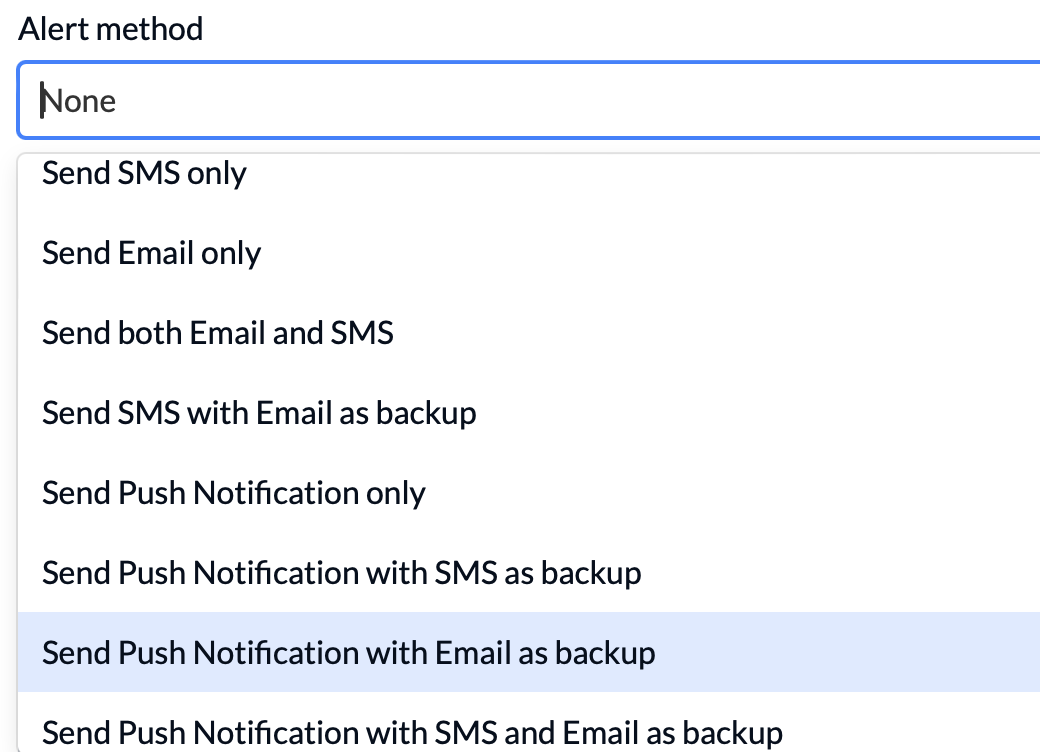
On-site alerts can be delivered via:
- Email: Used for daily and Are you still here? alerts if the visitor has provided their email address.
- Push notification: Can be sent to mobile app users who have opted in for notifications.
- SMS: Available if a mobile number is provided. Note that SMS messages incur a cost per message sent. Keeping the message short helps keep it to one message.
You can specify a single or multiple methods, with and back-up options, eg -
Note: Alerts should not be used for marketing.
Setting up alerts
On this screen you can choose the alert method/s, and set up:
- Message templates (daily and are you still here alerts )
- Saved messages (ad hoc alerts)
- Time-based triggers for Are you still here? alerts - either a specific time of day or after a set number of hours
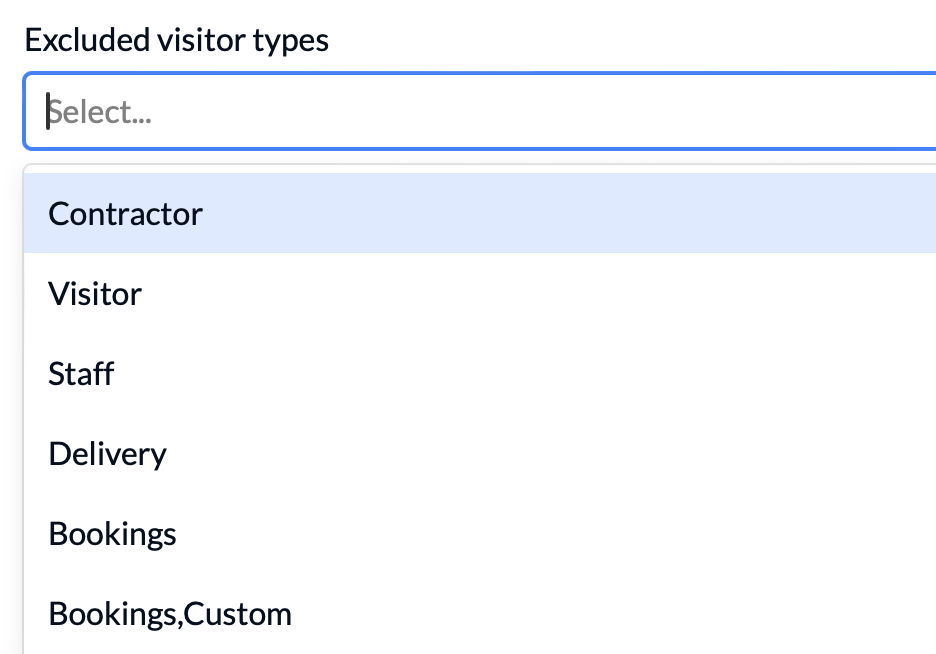
For daily and “Are You Still Here” alerts, you can choose to exclude certain visitor types (e.g. staff) from receiving them, using the Excluded visitor types field:
Message Templates
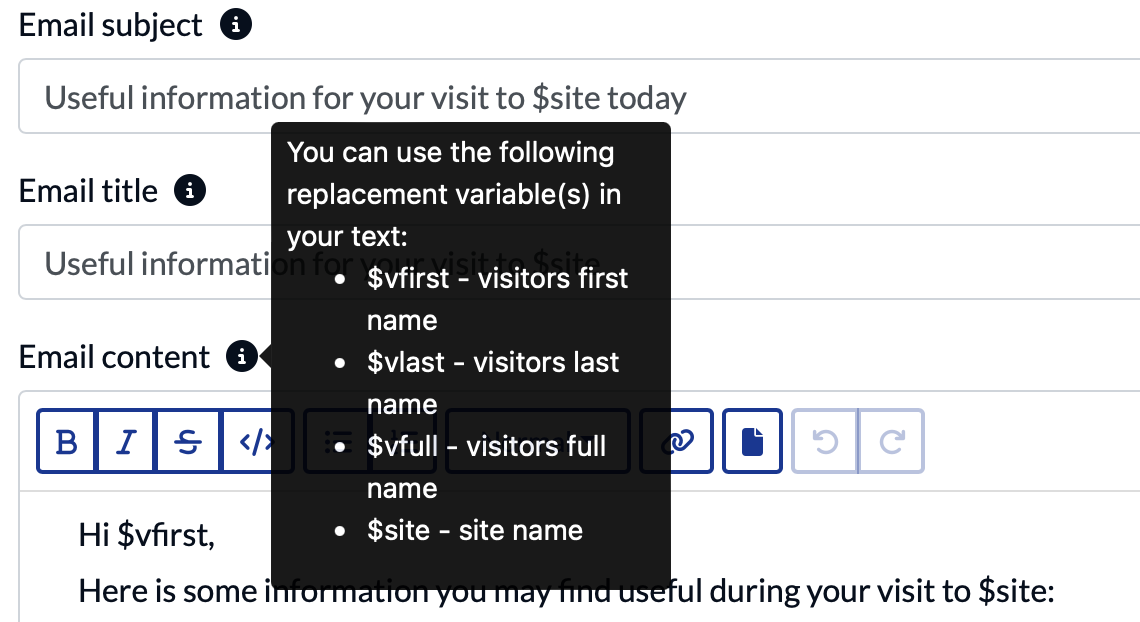
Personalise daily and are you still here? alerts by using variables in your templates. Click the i tooltip to see available replacement variables: