EVA Notifier for Microsoft Teams
EVA Notifier is a simple connector between Microsoft Teams and EVA Check-in. It allows you to receive your EVA Check-in notifications, such as visitor arrivals, directly in Teams.
In this article...
How to set up EVA Notifier
- Add staff to the EVA employee list for your site
- Install the EVA Notifier app from the Teams store - see below
- Make sure you have Microsoft Teams selected as the notification method
- If desired, turn on back up notification methods - SMS and/or e-mail
Important: Microsoft Teams notifications work best when EVA Check-in knows who the visitor is visiting. If your sign-in flow does not ask visitors to select a host, the standard Teams host notification will not work in that flow.
Installing EVA Notifier
There are two options for installing EVA Notifier:
- Your Teams admin can install for your whole organisation - https://learn.microsoft.com/en-us/microsoftteams/install-teams-apps
- Individuals can install the app on their own Teams - https://support.microsoft.com/en-us/office/add-an-app-to-microsoft-teams-b2217706-f7ed-4e64-8e96-c413afd02f77
Search the Microsoft Teams apps for "EVA Notifier"
Or use this link - https://teams.microsoft.com/l/app/d12f3887-26b5-45dc-bcb4-0adc45b1c62e?source=app-bar-share-entrypoint
EVA Notifier will appear as an app in your Teams users' sidebars, i.e. -
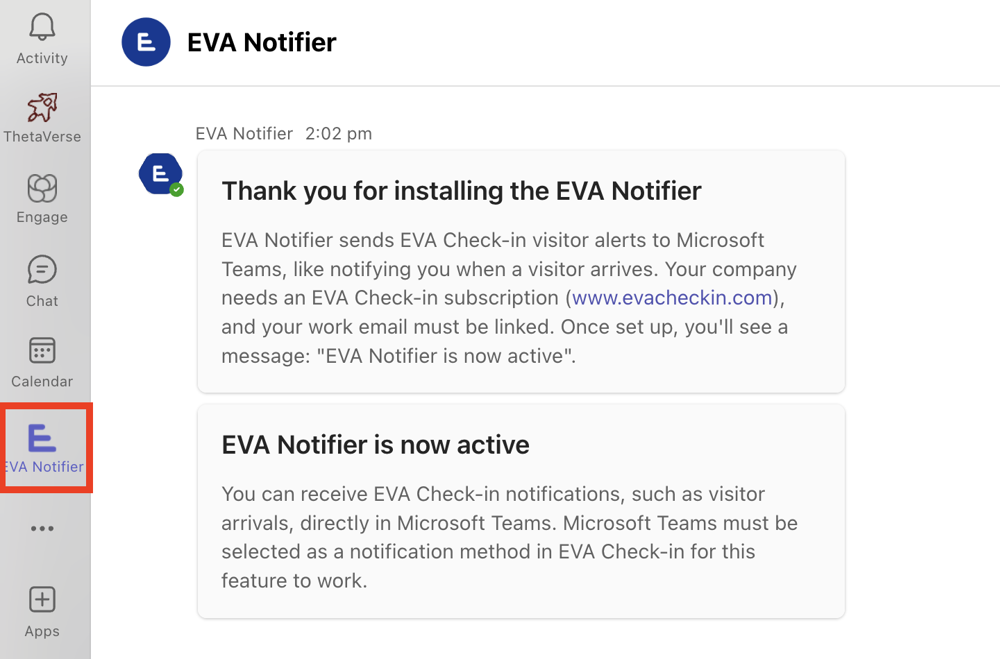
Notifications in Teams
Users will receive notifications in Teams, if Teams is selected as a notification method. Learn more about Notifications.
When Teams notifications work
EVA Notifier sends notifications in Microsoft Teams when EVA Check-in can identify the right recipient.
For host notifications, this usually means the visitor is asked who they are visiting during sign-in or pre-registration.
If your sign-in flow does not collect host information, the standard Teams host notification will not work in that flow, even if Microsoft Teams is selected as the notification method.
If needed, you can use backup notification methods such as email or SMS.
Troubleshooting Teams notifications
If Teams notifications are not arriving, check that:
- the staff member is in the EVA employee list
- the staff member has installed EVA Notifier in Microsoft Teams
- Microsoft Teams is selected as the notification method
- your visitor flow asks who the visitor is visiting, if you want host-based notifications
- backup notification methods are turned on, if required
If the visitor is not selecting a host, the standard Teams host notification will not work.
Example notifications
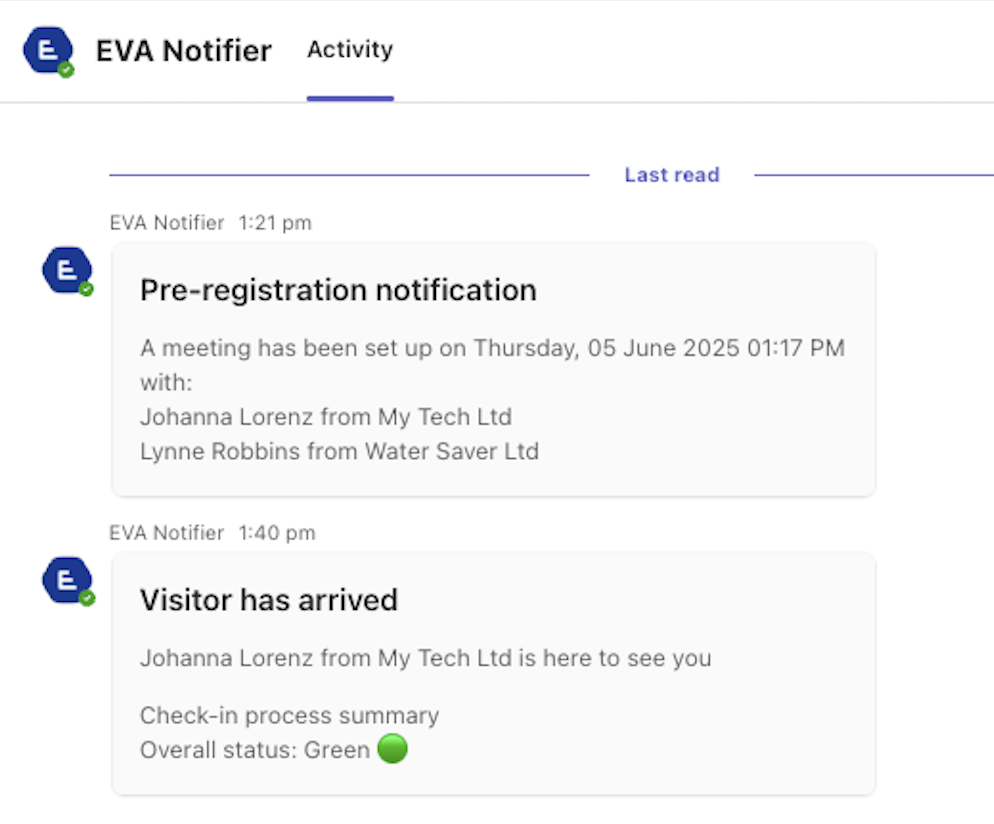
Types of notification
EVA Notifier covers the full flow of a visit, not just the arrival. You can get notifications for:
- Pre-registration: prepare hosts before guests set foot on site.
- On arrival: customisable messages let you know your guest is here.
- Checkout alerts: tell you that your guest has left and close the loop.
- End-of-day reminders: highlight anyone still checked in, strengthening safety routines.
Note: Available notification types depend on how your site is configured. Some Teams notifications rely on EVA Check-in being able to identify the host or recipient for the visit.
When are backup notifications sent?
If an individual user:
- Has not installed EVA Notifier in Teams
- Has blocked the bot conversation in Teams
Then the notification will be sent via the backup method/s specified.