Location check: Ensure staff and contractors are on-site when they check in
It's now possible to ensure that your staff and contractors are actually on site when they check in. Here's how to set this up.
Prerequisites
Geofence enabled for the site
Custom check-in enabled for the site
Setup
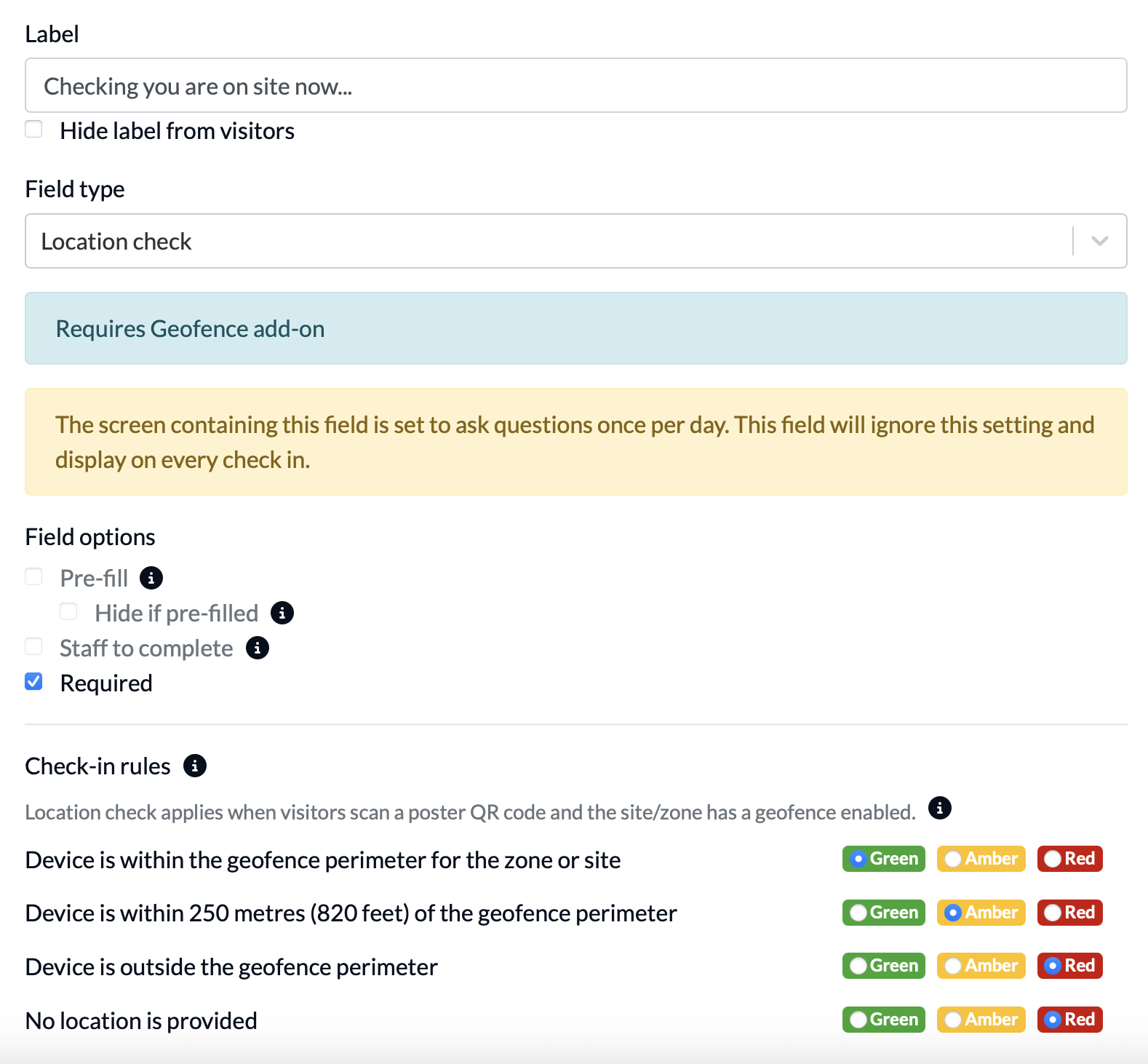
Once the prerequisites are in place, add a location check field to your custom check-in process:
How location check works
When a visitor checks in on their own device by scanning a QR code - either using the mobile app or their browser - we will check for their location to ensure that they are within your geofence. To determine this, we use the device's location if using the mobile app, or the browser location if using the browser.
The default rules (shown above) will report a "Red" check in if the device is outside of the geofence or no location is provided.
In this case, the receptionist/administrator is notified.
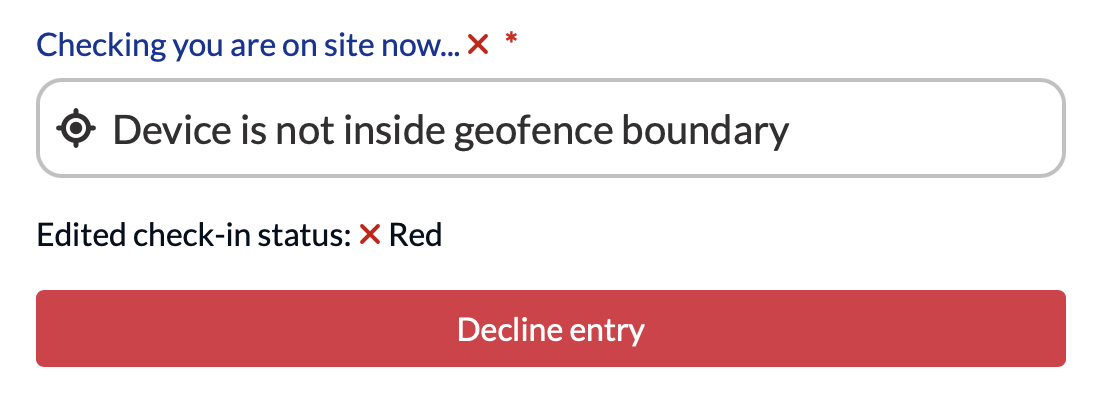
You can also check on this status later using the activity or process logs. For example, here is the detail from a check-in where the person was not on-site:
Process log

Other location check statuses in the process log
- If geofence is not enabled on a site where location check is enabled, you will see "Not required" under Location check in the process log.
- If there is no custom process, then the location check field will be blank.
Check-in detail from Activity log