Visitor profiles
Visitor profiles give you a single view of each person’s details, check-in history, permissions, certificates, and recent forms in EVA Check-in.
Use Visitor profiles to search for a person, review their latest activity, and update details such as contact information, admin notes, and site-based permissions.
In this article
Access
To access visitor profiles, go to Overview > Visitor profiles in the EVA Check-in portal.
Visitor profiles can be viewed by Customer admin and Operations roles
Search and filter people
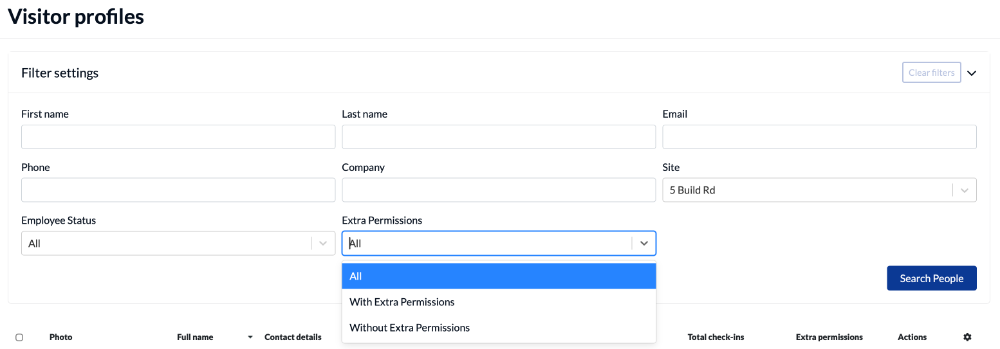
Use the filter panel at the top of the page to find a person or narrow the list.
You can search using:
- First name
- Last name
- Phone
- Company
- Site
- Employee status
- Extra permissions
Review search results
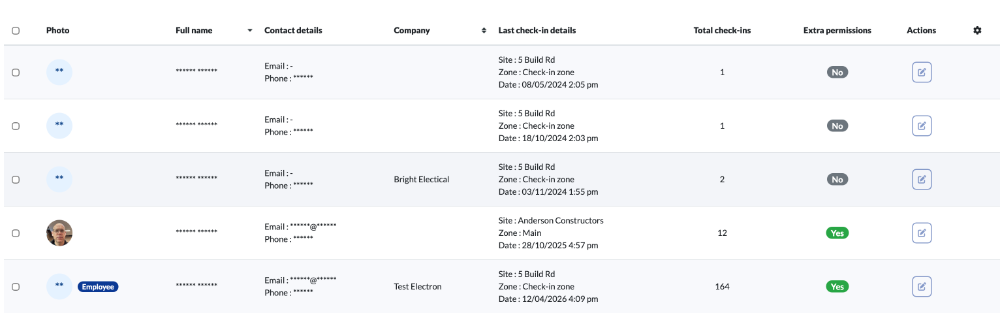
The results table shows a summary for each person, including:
- Photo
- Full name
- Contact details
- Company
- Last check-in details
- Total check-ins
- Extra permissions
Use the action button at the end of a row to open that person’s profile.
Open and edit a profile
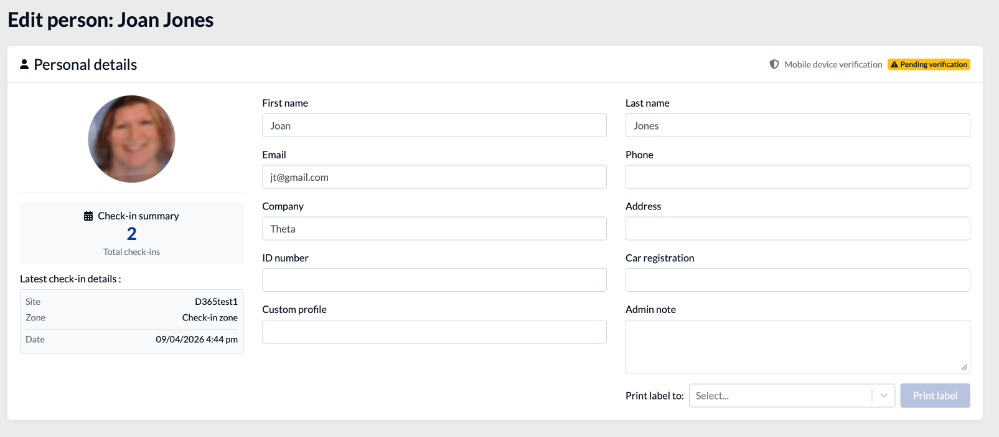
When you open a profile, you can review and update the person’s details.
The profile page includes:
- Photo
- First name and last name
- Email and phone
- Company and address
- ID number
- Car registration
- Custom profile
- Admin note
- Check-in summary
- Latest check-in details
You can also use the profile page to:
- Select a printer and Print label
Review activity, certificates, forms and permissions
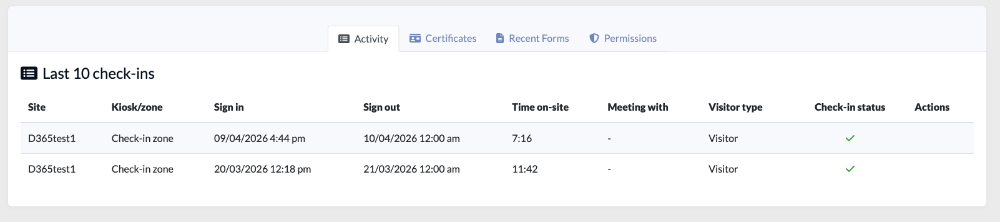
Each visitor profile includes tabs so you can review related records in one place:
- Activity – shows recent check-ins, including site, kiosk or zone, sign-in and sign-out times, time on-site, who they met with, visitor type, check-in status, and actions.
- Certificates – shows certificates linked to that person.
- Recent Forms – shows recent form submissions, including type, title, site, form type, status, signatures, created date, PDF, and open form actions.
- Permissions – shows authenticated visitor permissions for that person.
Permissions
Use the Permissions tab to review, grant, or remove special permissions for an individual person. These permissions relate to mobile app features - eg to start an evacuation.
Learn more
If permissions were previously assigned too broadly — for example through visitor type auto-enrolment — they must be removed from each affected visitor profile individually.
If mobile device verification is still pending, you can resend the verification request from this tab.
